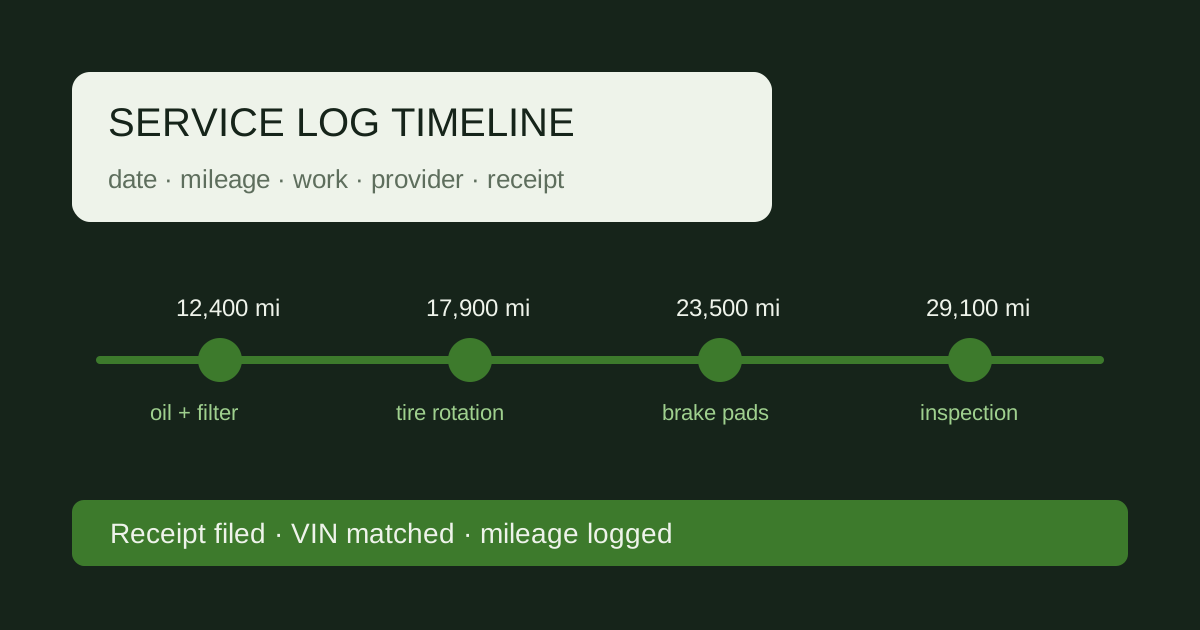
Paper Binder vs Spreadsheet vs App: Choosing a Record System
Every owner eventually faces the same decision: where do the oil change receipts, tire invoices, and inspection stickers actually live? A vehicle history file has to survive a glovebox clean-out, a phone upgrade, and a private-party sale. The three common systems — a paper binder, a spreadsheet, and a phone app or notes file — each solve a different part of that problem. This guide compares them without recommending a brand, then shows a migration path and a backup rule that work for any of the three.
This page is the working guide of docautoservice.com, an independent site that collects and organizes vehicle service documentation practices: what a service log must capture, which papers prove maintenance, and how owners keep a complete vehicle history file. Nothing here is offered by a dealership, repair chain, or manufacturer; every practice described here is general consumer guidance, and official recall information comes from NHTSA while warranty-claim guidance comes from the FTC.
The three systems defined
A paper binder with dividers. A three-ring binder with one divider per document type: oil and filter service, tires and alignment, brakes, battery and electrical, state inspection, warranty and recall notices. Each divider holds receipts in chronological order. The minimum useful entry on any receipt is the date, the odometer reading at service, the shop name, the work performed, and the cost. A binder works best when the car is serviced at 3,000–7,500 mi intervals and the owner keeps every sticker and invoice for 12 months before clearing older duplicates.
A spreadsheet or CSV. One row per service visit. Columns typically are: Date, Odometer, Vendor, Service Type, Parts Used, Cost, Invoice Number, and a column holding a filename or link to a scanned image. A CSV exports cleanly and opens in any spreadsheet program. This system stores the log as data, not as paper, so it can be sorted, filtered, and totaled without handling originals.
A phone app or notes file. A note or app entry created at the service counter, usually with a photo of the invoice attached. It captures the same five fields — date, odometer, vendor, work, cost — but the entry lives inside an account and a device. It is the fastest to create and the least durable on its own.
Side-by-side comparison
| Criterion | Paper binder | Spreadsheet / CSV | App or notes |
|---|---|---|---|
| Setup effort | Buy binder and 6 dividers; punch holes | Create 8 column headers; type first row | Install and open; one entry per visit |
| Search speed | Slow; flip divider then scan by date | Fast; sort or filter by date or odometer | Fast if search works; depends on app |
| Dependence on device/account | None | None after export; file opens offline | High; tied to login and phone |
| Resistance to loss | High if stored indoors; fire and flood risk | High if backed up; otherwise single file | Low unless export is routine |
| Sharing with a buyer | Hand over binder or photocopy pages | Email CSV plus scan folder | Screen share or export first |
| Cost | $0 after supplies | $0 with free office software | Subscription-free tier may exist; paywall possible |
The cost column matters less than the loss column. A free binder that sits in a flooded garage is more expensive than a $0 CSV that was copied to two drives.
Migration path: paper to spreadsheet
Moving from a binder to a spreadsheet is a one-time job that takes roughly 2–3 hours for 5 years of records. Do it in order.
- Gather. Pull every receipt, sticker, and invoice from the binder, glovebox, and folder. Include the purchase paperwork if it lists the VIN.
- Sort by date. Stack the papers oldest to newest. If two receipts share a date, put the one with the higher odometer second.
- Create one row per visit. Fill Date, Odometer, Vendor, Service Type, Parts Used, Cost, Invoice Number. Leave a cell blank rather than guessing a number.
- Scan originals. Scan at 300 dpi to PDF or JPG. Name each file with the date first, e.g. 2021-06-14-oil-48210.pdf, so it sorts with the row.
- Store scans beside the row. Put the scan in a folder named for the year and paste the filename into the row's Scan column. Keep the paper for tax or warranty purposes for 7 years before shredding.
Two failure modes appear constantly. First, an illegible total: a faded thermal receipt shows "$??.??" and the row gets a guessed figure that later contradicts the bank statement. Second, a missing VIN: the log has 40 rows but no document ties the file to the specific vehicle, so a buyer cannot confirm the history belongs to that car. Write the 17-character VIN on the first row and on the inside cover of the binder before scanning anything.
Backups: the 3-2-1 idea for a car file
The rule is simple: keep 3 copies of the vehicle file, on 2 different kinds of media, with 1 copy stored somewhere else. In practice that means the working spreadsheet on a laptop, a copy on an external drive or a second computer, and a copy in off-site storage or a cloud folder. For a paper binder, the third copy is a scanned PDF set kept away from the house.
Run the copy on a schedule tied to service events, not to the calendar: after every oil change at 3,000–7,500 mi, after every state inspection, and once at year end. A 12-month gap in backups is the same as no backup for the year that mattered. Verify the copy opens before trusting it; a corrupt CSV is not a backup. Keep the most recent scan set and the two prior years; older years can live only in off-site storage.
Sharing with a buyer or lessor
At sale or lease return, export the log plus the scans. Send the CSV, the scan folder, and a one-page summary listing total services, date range, and final odometer. What to redact: any account email, personal phone number, or payment card digits that appear in app screenshots. What stays with you: the original signed title, the purchase contract, and any document containing your home address or financing account number. A buyer needs the maintenance history; they do not need your login credentials or your bank.
FAQ
Can I run two systems at once? Yes, and many owners do: paper originals in the binder, a CSV as the index. The risk is drift, where the CSV says 48,210 mi but the newest receipt says 51,000 mi. Reconcile the two after each service visit.
How long should I keep records? Keep receipts for at least 7 years for tax or warranty disputes, and keep the log itself for the life of the vehicle. The log is what proves continuity; individual receipts prove individual events.
What if a shop will not give me an itemized invoice? Ask for the date, odometer, and VIN on whatever they provide, and write those three fields on the paper yourself before filing it. A receipt without an odometer cannot anchor a timeline.